

321 Views
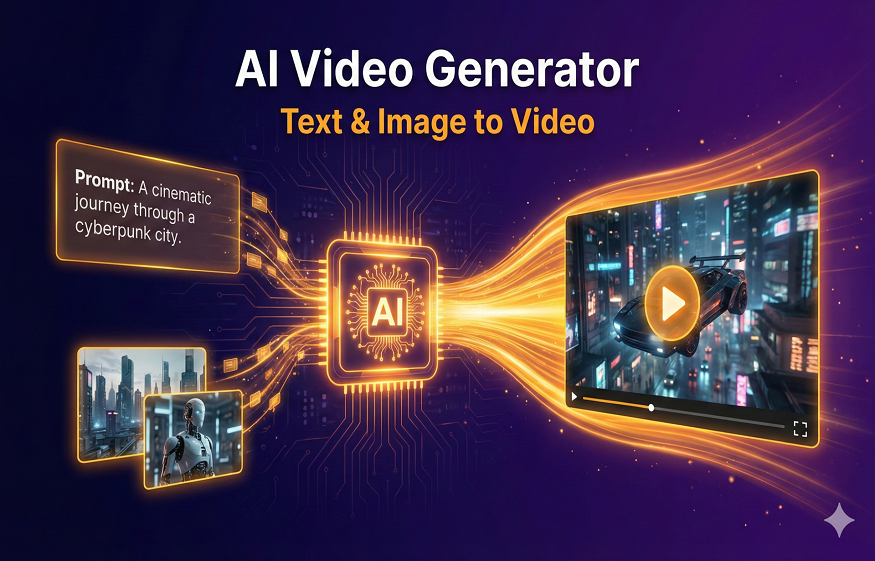
Transforming a static picture into a dynamic video used to require intricate rigging, physical camera crews, or tedious keyframe animation. Today, generative video models analyze a single image, infer spatial depth, and synthesize continuous movement in seconds. I spent three weeks testing the top image animation platforms on the market, evaluating motion consistency, face preservation, export speeds, and API flexibility across realistic, stylized, and cinematic inputs.
Here is the quick verdict: Magic Hour delivers the most natural camera control and character animation at the lowest cost per minute, while engines like Runway Gen-4 and Luma Dream Machine lead in cinematic camera motion, and Kling AI excels in complex fluid physical dynamics.
At a Glance: Best Photo to Video AI Tools
| Tool | Primary Use Case | Key Modalities | Free Tier | Entry Pricing | Key Differentiator |
| Magic Hour | Multi-modal video creation, face swap, animation, lip sync | Photo, Video, Audio, Text, API | 400 credits (~17s video) | $10/mo (billed annually) | Multi-model pipeline, non-expiring credits, full API parity |
| Runway Gen-4 | Cinematic video generation and multi-shot timeline editing | Text, Image, Video | 125 one-time credits | $12/mo (billed annually) | Industry standard cinematic motion control and camera curves |
| Luma Dream Machine | High-volume spatial camera moves and prompt fidelity | Text, Image, Video | ~80 daily credits | $30/mo | Photorealistic lighting, Luma Agents, high dynamic range |
| Kling AI | Long-form physics animation and character motion | Text, Image, Audio | 66 daily credits | $6.99/mo | Native audio synthesis and extended clip generation |
| Pika AI | Short-form social media effects and stylized motion | Text, Image, Audio | Limited Google user access | $8/mo | Expressive short-form animation and viral effects |
| Haiper AI | Clean artistic rendering and low-cost clip synthesis | Text, Image, Video | Free daily allocations | $10/mo | Intuitive interface for quick visual iterations |
| Minimax (Hailuo AI) | Highly realistic human motion and face preservation | Text, Image | Free public demo tier | $10/mo | Exceptional anatomical accuracy during fast motion |
| PixVerse | Anime, character-driven, and stylized image animation | Text, Image | 30 daily credits | $10/mo | Creative style fusion and anime character consistency |
| Viggle AI | Body movement mapping and character replacement | Image, Video | Free public Discord/Web | $9.99/mo | Precise skeletal motion mapping onto photo subjects |
| Kaiber AI | Audio-reactive visualizer and canvas animation | Photo, Audio, Video | 7-day trial tier | $15/mo | Audio-driven keyframe synchronization for musicians |
1. Magic Hour
Magic Hour takes the top spot on my list because it solves the main problem with single-purpose animation tools: rigid platform locks and visual warping around subject faces. When working with photo to video ai workflows, creators often find that standard video generators lose facial identity or distort backgrounds as soon as a camera moves. Magic Hour maintains crisp facial alignment and precise background consistency while providing complete control over motion.
What makes the platform stand out is its unified model pipeline. Instead of relying on a single engine, you can convert a static photo into a video clip, apply a face swap, re-sync dialogue, and upscale the final result to 4K resolution in one connected workflow. You do not need to enter a credit card to get started, as signup provides 400 free credits immediately.
Read More: Streamlining Success: Integrating LinkedIn Lead Gen Forms with Your CRM for Optimal Results
If you are looking for a platform that delivers photorealistic human movement and clean camera motion across static portraits, product shots, and artistic illustrations, Magic Hour is hard to beat.
Pros:
- Generous 400 free credit allocation upon signup with no credit card required.
- Purchased credits never expire, eliminating monthly credit burn anxiety.
- Full API parity across tools, allowing developers to deploy Python, Node.js, Go, or Rust integrations easily.
- Parallel video generations with zero concurrency caps on high plans.
- Consolidates frontier open and proprietary video models in one dashboard.
- Optimized live activation infrastructure handles traffic surges smoothly.
Cons:
- Free plan exports include a small watermark.
- Ultra high definition 4K processing requires the Business plan.
Free Plan: 400 credits (~17 seconds of video), 576px export, no credit card required.
Creator Plan: $15/month ($10/month billed annually) for 120,000 annual credits, 1024px exports, commercial rights, 3 parallel generations.
Pro Plan: $39/month ($25/month billed annually) for 300,000 annual credits, 1472px exports, 5 parallel generations, 5GB assets.
Business Plan: $99/month ($66/month billed annually) for 840,000 annual credits, 4K exports, unlimited parallel generations, 10GB assets.
Read More: What Is an AI Customer Service Assistant and How Does It Improve Support?
2. Runway Gen-4
Runway continues to serve as a benchmark for Hollywood filmmakers and digital artists who require precise cinematic motion. Its Gen-4 model takes a source image and translates camera directions like zooms, pans, tilts, and tracking shots with notable temporal stability.
Pros:
- Professional camera control tools, including precise motion brush selections.
- Robust video editing ecosystem with multi-layer editing and green screen tools.
- Excellent consistency across complex background environments.
Cons:
- Higher price per credit compared to broader creation suites.
- Fast Mode credits expire monthly on lower plan tiers.
- Generates occasional anatomical artifacts during complex human movement.
For directors, video editors, and agency teams building pre-visualization assets or cinematic trailers, Runway offers an established set of tools.
- Free Plan: 125 one-time credits with watermarked output.
- Standard Plan: $15/month ($12/month billed annually) for 625 monthly credits.
- Pro Plan: $35/month ($28/month billed annually) for 2,250 monthly credits.
- Unlimited Plan: $95/month ($76/month billed annually) for unlimited relaxed-rate generations.
3. Luma Dream Machine
Luma Dream Machine excels at sweeping camera movements, realistic lighting interactions, and spatial coherence. Built by Luma AI, this model converts static landscape photos, architecture renders, and character concepts into 3D video environments.
Pros:
- Realistic depth perception and dynamic light reflections.
- Fast generation queues powered by Luma Agent infrastructure.
- Maintains consistent scale when panning across broad environments.
Cons:
- Free tier restricts outputs to 720p with a watermark and no audio.
- High credit consumption when running multiple prompt revisions.
- May smooth out subtle textures in close-up portrait shots.
If your primary focus involves animating architectural designs, fantasy landscapes, or cinematic outdoor scenes, Luma Dream Machine delivers clean spatial depth.
- Free Plan: ~80 daily credits (roughly one 720p 5-second clip per day).
- Plus Plan: $30/month for 10,000 credits.
- Pro Plan: $90/month for 40,000 credits and faster queue priority.
- Ultra Plan: $300/month for high-volume enterprise production.
4. Kling AI
Developed by Kuaishou Technology, Kling AI has emerged as a strong global contender in AI video generation. It is recognized for its ability to simulate real-world physics, complex fluid dynamics, and extended clip durations directly from a single photo.
Pros:
- Generates continuous clips up to 10 seconds per pass with clean motion continuity.
- Native audio synthesis generates sound effects matching image actions.
- Handles complex physical interactions like flowing water or dancing subjects well.
Cons:
- Professional mode consumes credits quickly compared to standard mode.
- Interface navigation can feel busy due to its extensive feature set.
- Free tier daily credits expire within 24 hours.
For creators looking to produce longer continuous video segments with natural physical interactions, Kling AI offers solid model performance.
- Free Plan: 66 daily credits with standard generation speeds and watermarks.
- Standard Plan: $6.99/month for 660 monthly credits and 1080p rendering.
- Pro Plan: $25.99/month for 3,000 credits and private generation modes.
- Premier Plan: $64.99/month for high-volume commercial production.
5. Pika AI
Pika AI is built for speed, social media trends, and expressive short-form animations. It allows users to take static pictures and add localized movement, sound effects, or stylized visual elements using simple text prompts.
Pros:
- Quick generation speeds for fast social media iteration.
- Built-in sound effect synthesis matching video actions.
- Intuitive region selection tools for animating specific parts of an image.
Cons:
- Resolution caps require paid upgrades for clean 1080p exports.
- Can over-stylize photorealistic portraits if prompt parameters are too broad.
- Free tier access is limited depending on regional platform promotions.
For social media managers and content creators producing daily short-form content for TikTok, Shorts, or Reels, Pika provides a fast, approachable option.
- Free Plan: Limited promotional access depending on regional platform rules.
- Standard Plan: $8/month for baseline monthly generation credits.
- Pro Plan: $20/month for expanded credit allocations and 1080p processing.
6. Haiper AI
Haiper AI focuses on providing a clean, accessible interface for transforming text and static imagery into video clips. It gives creators straightforward controls over motion scale, allowing for subtle background drift or dynamic subject action.
Pros:
- Clean web interface with simple control options.
- Subtle motion preservation prevents heavy distortion on facial details.
- Fair subscription tiers for creators on a budget.
Cons:
- Shorter default clip durations than competitors like Kling or Magic Hour.
- Fewer multi-step editing pipelines built directly into the web dashboard.
If you prefer a clean workspace without overwhelming technical settings, Haiper AI provides a dependable environment for quick image-to-video tests.
- Free Plan: Daily credit refresh allocations with basic video exports.
- Standard Plan: $10/month for expanded queue limits and commercial rights.
- Pro Plan: $24/month for faster priority processing queues.
7. Minimax (Hailuo AI)
Minimax, often accessed via the Hailuo AI platform, gained rapid popularity due to its strong performance in preserving human face details and natural body mechanics. When animating a static photograph of a person, Minimax avoids the robotic limb movements common in earlier video generators.
Pros:
- Strong anatomical consistency during fast human movement.
- Preserves facial character traits from source photographs.
- Generates realistic fabric, hair, and clothing movement.
Cons:
- Fewer advanced camera trajectory options compared to Runway or Luma.
- Web platform features are primarily focused on generation rather than post-processing.
For creators whose primary content involves converting human portraits or character photography into dynamic clips, Minimax yields clean results.
- Free Plan: Free public trial generations available on web platforms.
- Standard Plan: Starts around $10/month depending on regional API distribution points.
8. PixVerse
PixVerse targets anime creators, game designers, and digital artists who work with stylized imagery. Its generation model excels at translating static illustrations, digital paintings, and stylized concept art into fluid animated sequences without losing artistic line work.
Pros:
- Strong artistic line work and color palette preservation.
- Style fusion modes for blending different aesthetic themes.
- Active community feed with reusable prompt templates.
Cons:
- Less suited for photorealistic commercial product shots.
- Free tier exports carry community watermarks.
If you generate digital art, anime illustrations, or stylized storyboards, PixVerse helps preserve your original artistic style during generation.
- Free Plan: 30 daily credits with watermarked exports.
- Standard Plan: $10/month for standard usage and watermark removal.
- Pro Plan: $30/month for high-priority generation queues.
9. Viggle AI
Viggle AI approaches photo-to-video animation differently by using skeletal motion tracking. You upload a static character photo along with a reference video of a person moving or dancing, and Viggle maps the reference motion onto your photo subject while preserving background details.
Pros:
- Precise control over exact body movements using video movement references.
- Fun, viral capability for character replacements and meme creation.
- Accessible through Discord and web app interfaces.
Cons:
- Can introduce boundary artifacts around subject clothing edges.
- Requires a clear reference motion video for best results.
For meme creators, social media marketers, and animators needing specific character choreography from a still photo, Viggle offers targeted movement mapping.
- Free Plan: Free public access via Discord and web app queues.
- Pro Plan: $9.99/month for priority generation speed and clean background removal.
10. Kaiber AI
Kaiber AI is built for musicians, visual artists, and concert producers who need audio-reactive video content. By uploading a single photo alongside an audio track, Kaiber synchronizes camera zooms, morphs, and lighting changes directly to the beat of the music.
Pros:
- Clean beat-matching audio synchronization engine.
- Endless canvas zoom features for music video visualizers.
- Stylized artistic controls for music artwork transformation.
Cons:
- Higher cost per generated minute for non-musician workflows.
- Can feel overly surreal if you require grounded photorealism.
If you are an artist or video creator making music videos, visualizers, or stage graphics from static album covers, Kaiber provides tailored audio tools.
- Free Plan: 7-day initial trial with credit caps.
- Explorer Plan: $15/month for baseline monthly generation credits.
- Pro Plan: $30/month for longer clip generation limits and 4K upscaling.
How We Tested and Evaluated These Tools
As of June 2025, evaluating generative video software requires looking past curated landing page samples. I tested each platform across four practical metrics:
- Facial and Anatomic Consistency: I uploaded high-resolution portraits, anime art, and full-body outdoor photos. I evaluated outputs for facial warping, double-mouth artifacts during camera pans, and unnatural limb distortion.
- Temporal Physics and Motion Realism: I measured how well each engine handles complex physical actions such as wind blowing hair, water splashes, and natural clothing folds without breaking temporal continuity.
- Generation Speed and Server Reliability: I recorded render times across different times of day to gauge queue stability during high-traffic periods.
- Pricing Value and Credit Policies: I analyzed real costs per video minute. Platforms offering non-expiring credit structures or generous free tiers (like Magic Hour’s 400 credit allocation) scored higher than services with restrictive daily resets.
Market Trends in AI Photo to Video Generation
The generative video landscape has moved beyond low-resolution GIF animations toward production-ready video synthesis. Here are three key shifts defining the current space:
1. Unified Multi-Tool Creation Pipelines
Creators prefer unified workspaces over fragmented tools. Rather than using separate platforms for animation, face swapping, lip syncing, and upscaling, multi-modal suites like Magic Hour let users chain these tools together in one place.
2. Physics-Aware Spatial Consistency
Early models struggled with camera panning, often bending rigid objects like buildings or furniture. Current video engines incorporate spatial depth models, ensuring backgrounds retain proper perspective as the virtual camera moves.
3. Native Audio and Video Co-Synthesis
Instead of producing silent video files, models like Kling AI now generate synchronized ambient sound effects alongside visual motion, simplifying post-production workflows for social media creators.
Final Takeaway: Selecting the Right Tool for Your Workflow
Selecting the ideal photo-to-video AI platform depends on your creative goals and production budget:
- Best Overall for Versatility and Value: Magic Hour is the clear choice if you need multi-model flexibility, face swap integration, non-expiring credits, and complete API access at a competitive price.
- Best for Professional Film Pre-Visualization: Runway Gen-4 or Luma Dream Machine offer precise camera control tools for cinematic composition.
- Best for Extended Physics Animation: Kling AI delivers continuous motion for complex physical interactions.
- Best for Character Choreography: Viggle AI provides targeted skeletal mapping onto photo subjects.
I recommend testing a few options using their free tiers before choosing a paid plan. Starting with a project on Magic Hour will demonstrate how easily static images can be converted into high-quality video content.
Frequently Asked Questions
What is the best AI tool to turn a photo into a video?
Magic Hour is the best overall tool due to its ability to preserve facial identity, generate photorealistic movement, and provide multi-step workflows like face swapping, lip sync, and 4K upscaling within one dashboard.
Can I turn a photo into a video AI clip for free?
Yes. Platforms like Magic Hour give you 400 free credits upon signup with no credit card required. Other tools like Kling AI and Luma Dream Machine offer limited daily credits, while open-source tools can be accessed on Hugging Face.
How do I stop AI video generators from distorting faces?
To minimize facial distortion, use high-resolution source photos with clear, direct lighting on the subject’s face. Select platforms with strong subject-preservation architectures, such as Magic Hour or Minimax, and avoid setting prompt camera movement speeds too high.
Can I use AI photo-to-video outputs for commercial projects?
Most paid subscription tiers include commercial usage rights for your generated video clips. Always verify that you hold full rights to any source photographs, artwork, or audio tracks you upload to these platforms before using outputs commercially.